Adding an App to Clever Portal
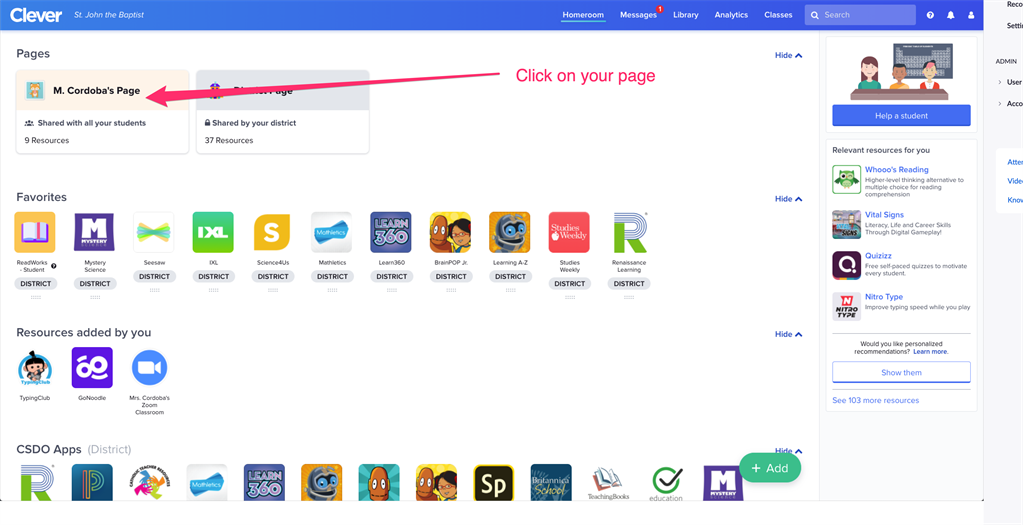
Step 1: Go to your Clever Portal then click on your Classroom page.
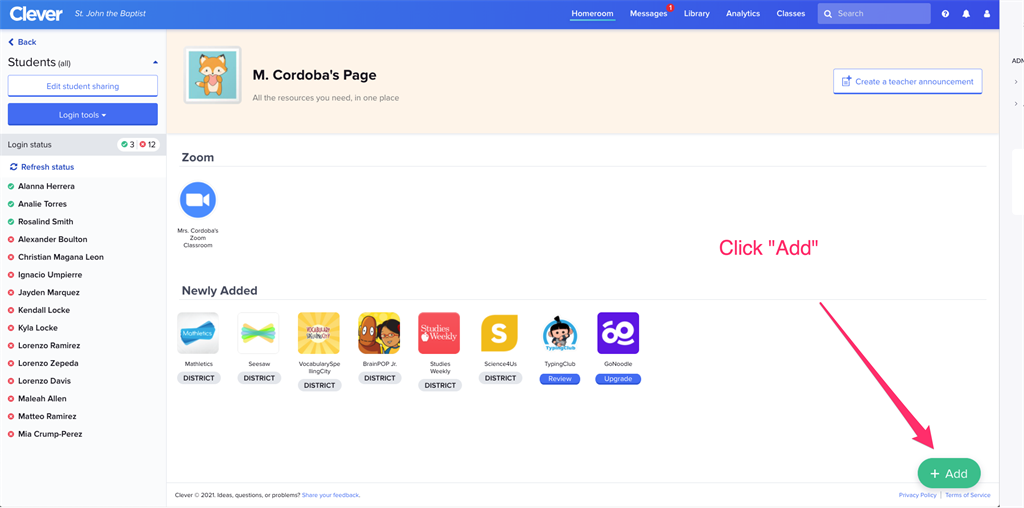
Step 2: In the bottom right corner click "Add"
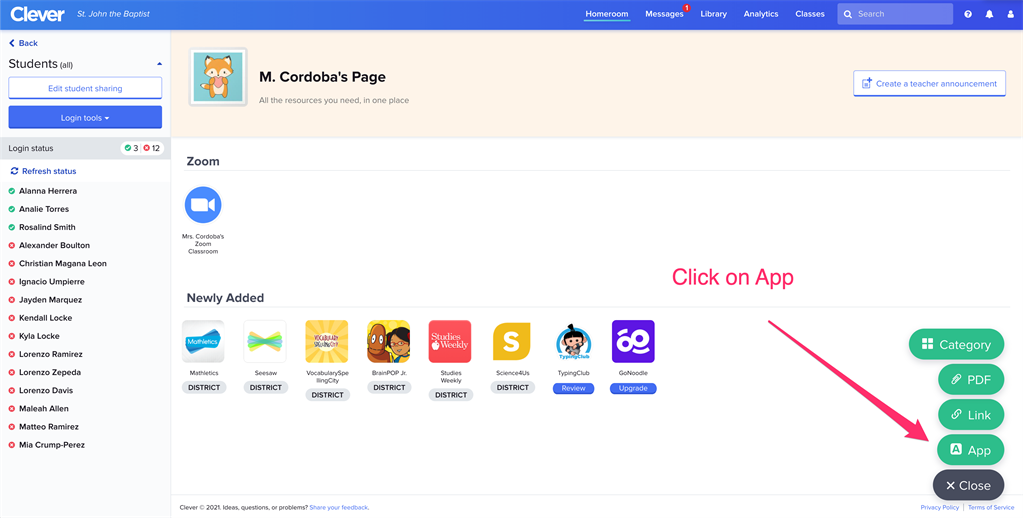
Step 3: Click on "App"
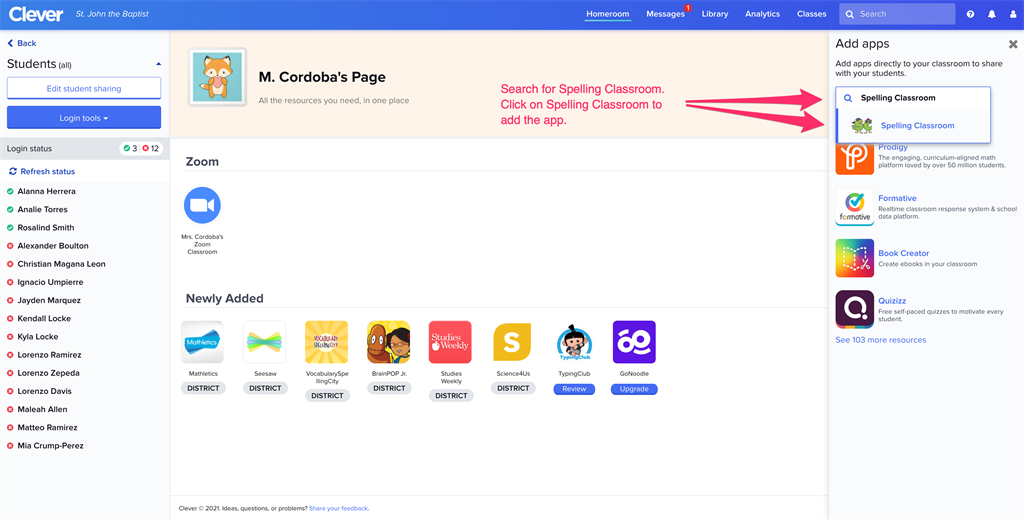
Step 4: Search for the app you are looking for then select it.
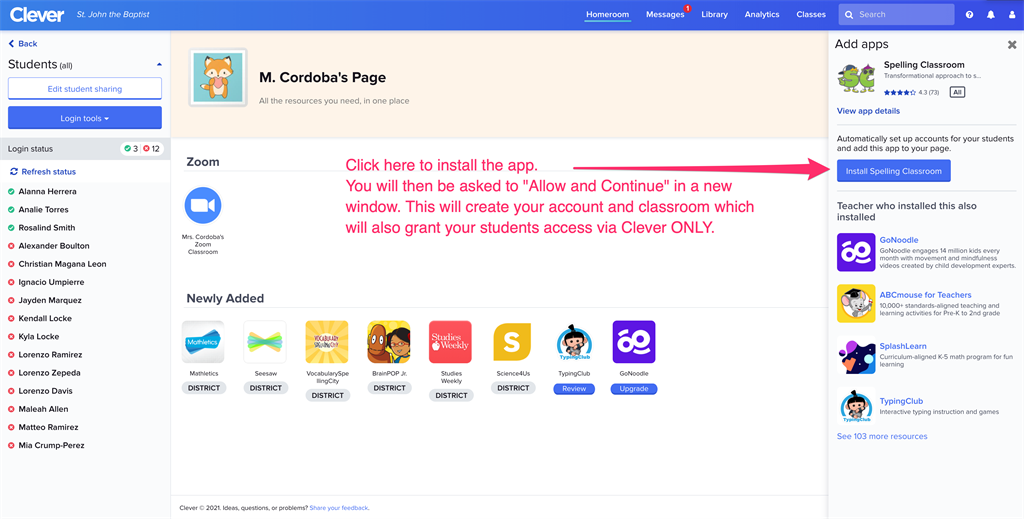
Step 5: Click "Install App Name". A new window or tab will open which will show your class(es) names of your students and confirm that you are the teacher. Then click on "Allow and Continue". This might take a few minutes so please do not close or refresh the window/tab.
Step 6: Once it is done it will add your selected App to your Clever page.
Was this article helpful?
That’s Great!
Thank you for your feedback
Sorry! We couldn't be helpful
Thank you for your feedback
Feedback sent
We appreciate your effort and will try to fix the article