Schoology has a mobile app you can download that from the Apple App Store or Android Google Play Store
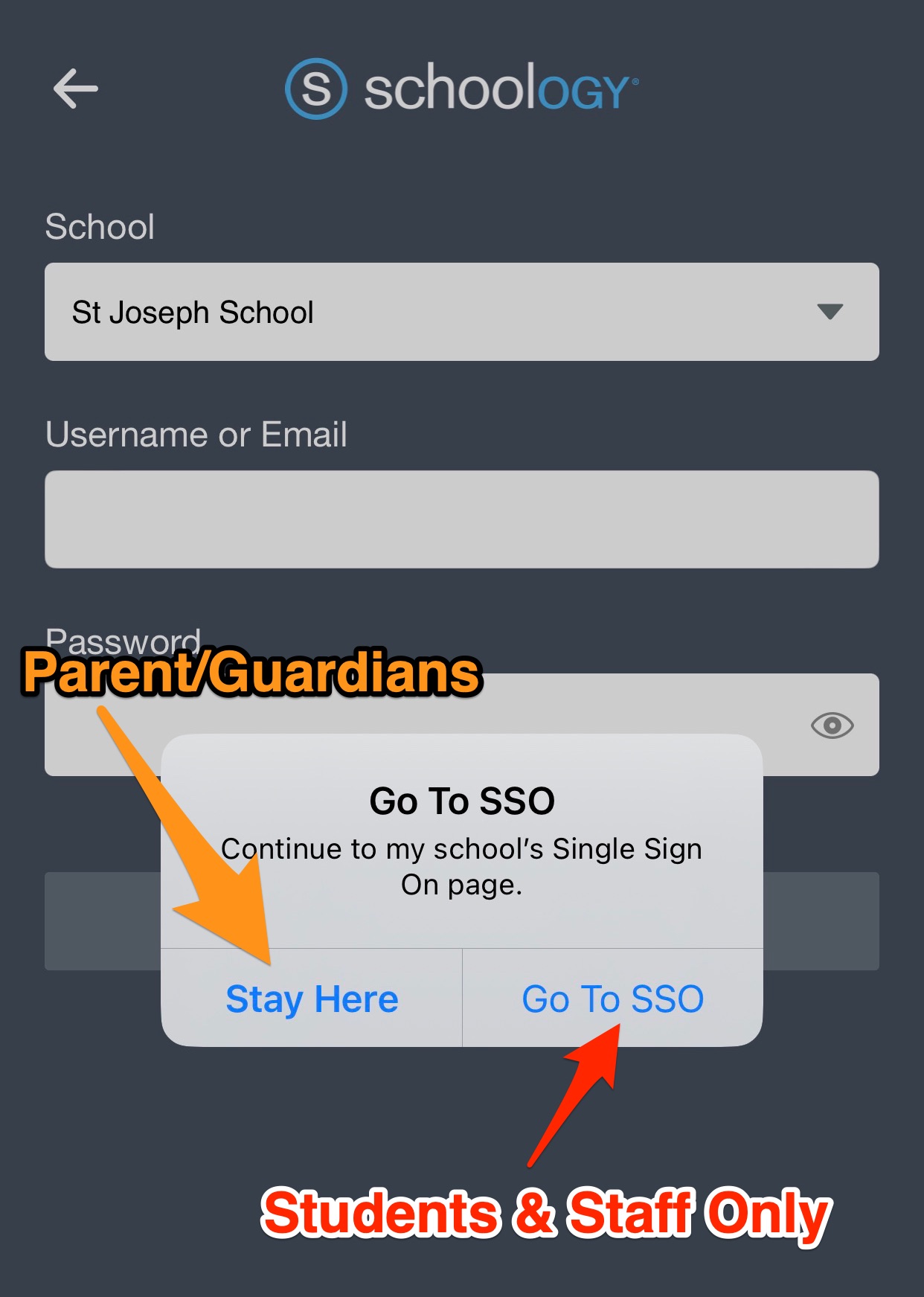
The following instructions are for STUDENTS & STAFF
Logging in via the Schoology Mobile App
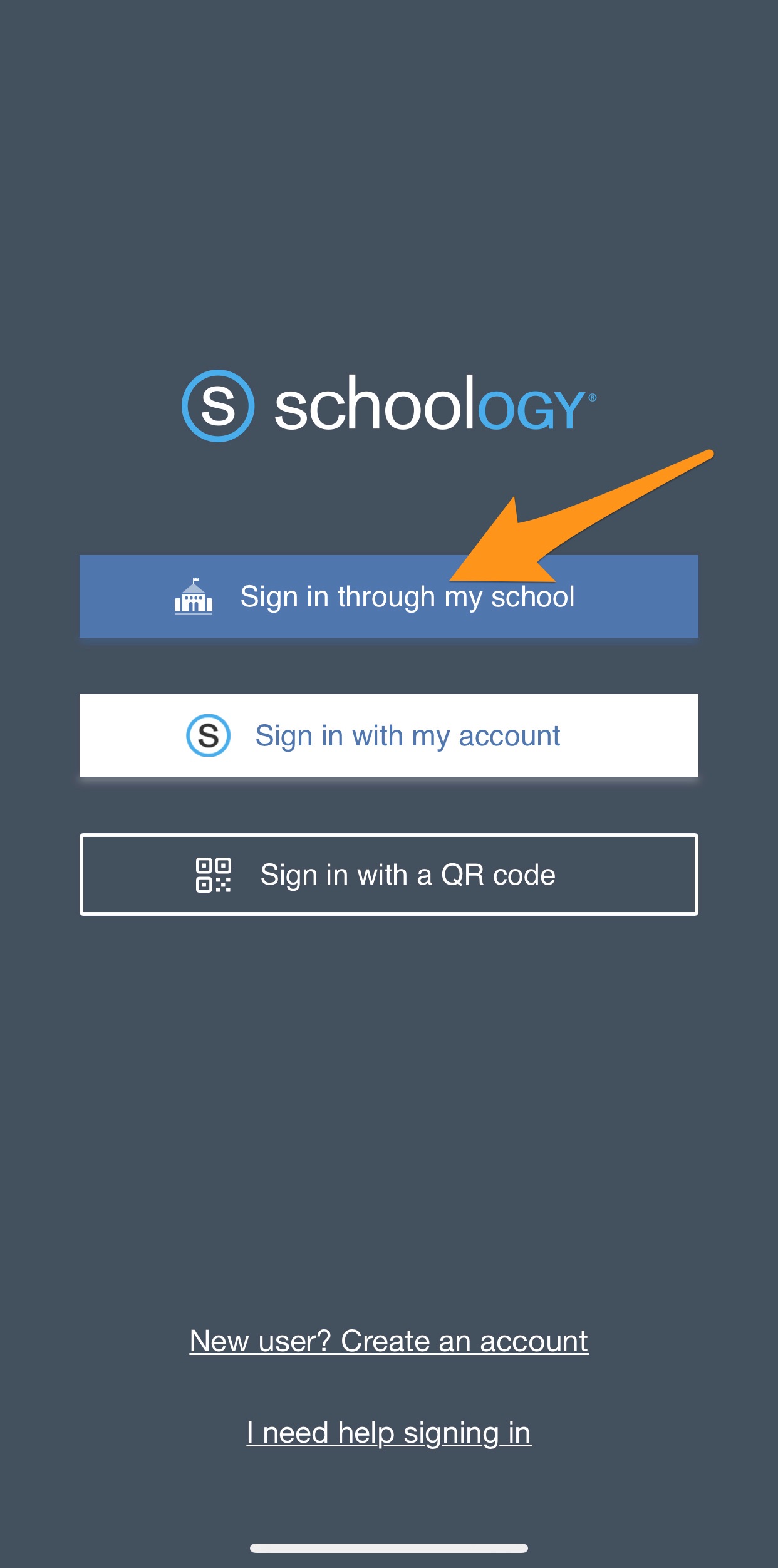
1. Select "Sign in through my school"
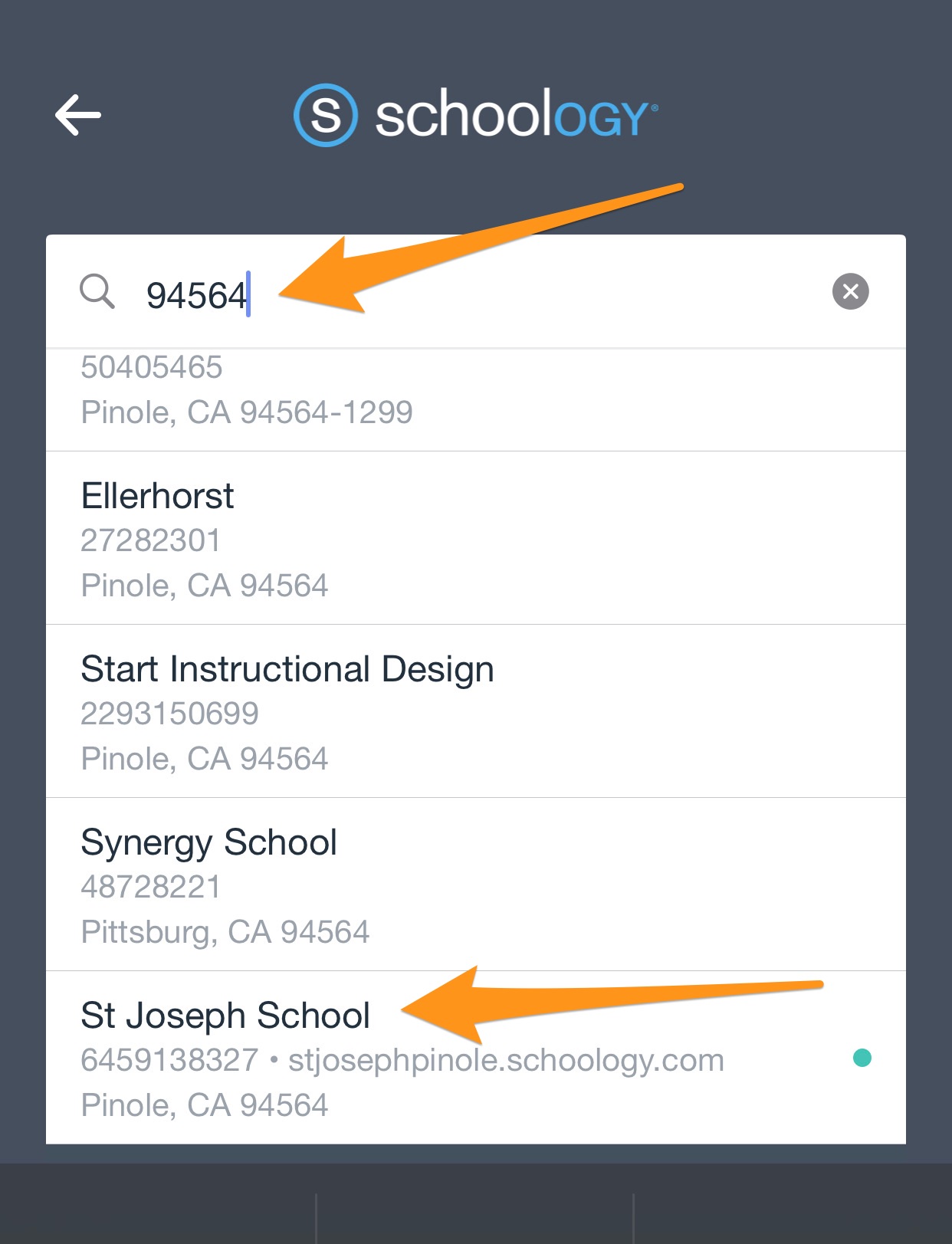
2. Under the School option, enter the School's zipcode 94564 to locate St. Joseph School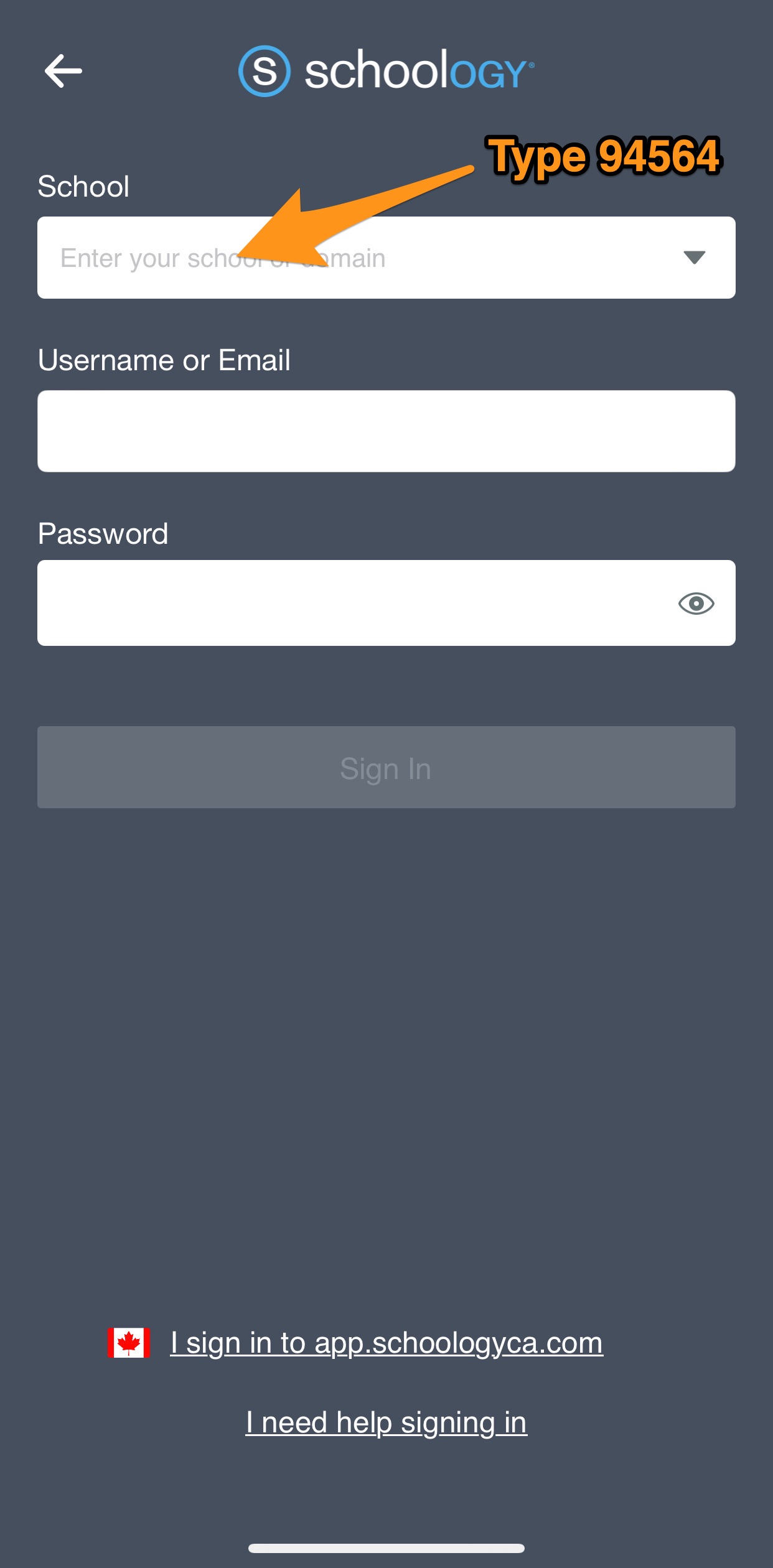
3. Tap "Go To SSO"
4. If this is the first time connecting your device, you will be redirected to a Google Log In page. Enter your St. Joseph School Student Email and Password (if asked) to log in. You will then be taken to your Schoology page.
Was this article helpful?
That’s Great!
Thank you for your feedback
Sorry! We couldn't be helpful
Thank you for your feedback
Feedback sent
We appreciate your effort and will try to fix the article